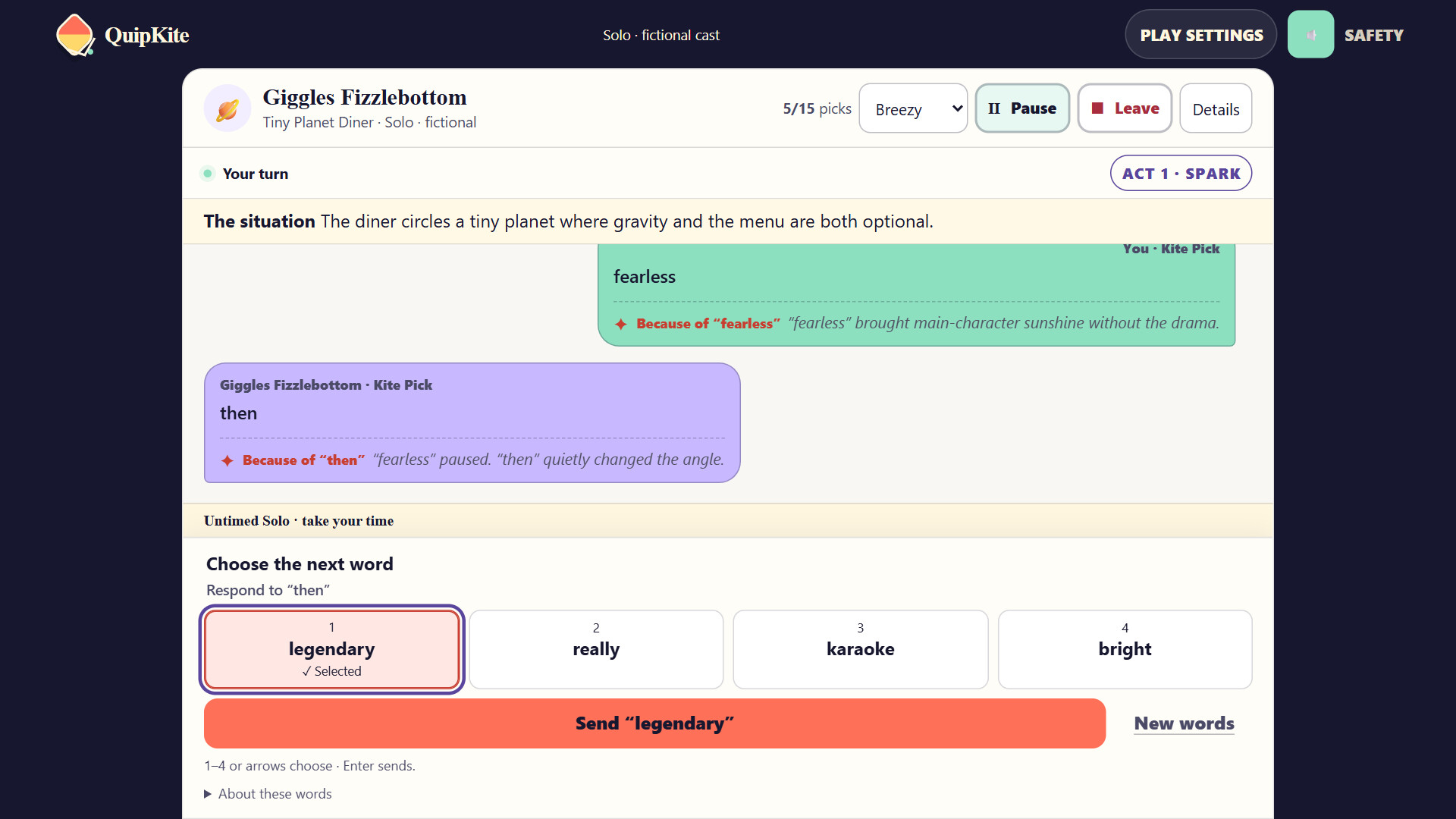
QuipKite has been available free to play on Steam since November 15, 2026. Gateway Information Group LLC's illustrated word and story game lets you choose words for conversations with fictional companions or guide short adventures through decisions.
Solo play has two formats. In Word flights, you send words from your hand to a companion and see how they respond. Choice-driven adventures take you through ten untimed decisions with alternate outcomes. Optional browser Multiplayer lets you make a private story with another player.
Stories, Companions, and the Collection
Pip, Moss, and Nimbus are among the named characters. The Steam description mentions seven story worlds and premises including a pigeon booking a world tour, an unusual museum exhibit, and a train carrying an encore somewhere unexpected.
You can keep favorite endings in your Collection and pin three postcards. Trying another choice does not replace an ending you have already kept.
Storycraft and Play Settings
Playing earns Storycraft XP. At level 2, Callback lets you bring an earlier idea back into a story. At level 3, Redirect gives you another way to steer a scene.
Word flights can be timed or untimed; choice-driven stories are always untimed. Play settings include larger text, stronger contrast, and reduced motion.
Resuming Stories and Saving Progress
An unfinished choice story appears on Home. Select “Continue story” to return to your last scene. Only one unfinished choice story can resume on the device, and standard Word flights end when you close the game.
The Steam store page directs you to “Save & recovery” to back up Solo progress. When you select “Exit,” QuipKite checks your Solo save and gives you a chance to stay if it cannot save.
With Steam Cloud enabled, Solo progress and completed keepsakes can sync. Unfinished choice-story drafts stay on the device where you made them.
Access, Language, and Multiplayer
Solo play needs no separate QuipKite account. Selecting “Multiplayer” from Home opens a private story in your browser. Players sign in with Google or an email link, share an invitation, and take turns choosing words. Each player needs their own account and internet access, and both must be at least 18.
English is the only language shown in Steam's language listing. Its minimum system requirements specify 64-bit Windows 10 or 11 and a keyboard and mouse. The developer disclosure on Steam says AI-assisted tools were used for some artwork and written content; nothing is generated during play.